
Guides · · 2 min read
Which file should you send for 3D printing? STL, STEP, 3MF and OBJ explained
The right file format saves a few rounds of emails. A short guide to what to send and what to include in your request.
Also available in: Slovenščina, Italiano
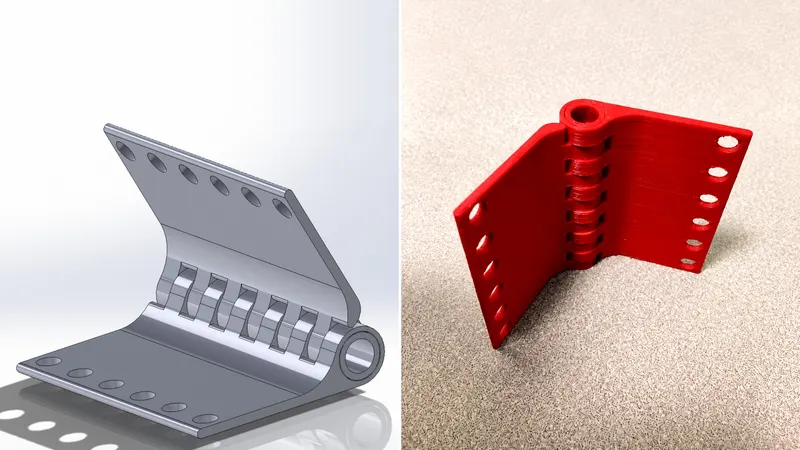
A fast, accurate 3D printing quote starts with a good file. Here's a quick overview of the most common formats, plus what else to include in your request.
STEP (.step, .stp) – the best choice if you have it
STEP is the standard exchange format from CAD software (SolidWorks, Fusion, Inventor, Creo, CATIA and others). It holds exact geometry, so we can check dimensions or adapt the part if needed. If you design in-house, export STEP.
STL (.stl) – the most common format for printing
STL describes the part's surface as a mesh of triangles. It is universally supported, but watch the resolution when exporting: a coarse mesh shows visible facets on curved surfaces. Also check the units (millimetres) – a file exported in inches can arrive 25 times too small or too large.
3MF (.3mf) – the modern alternative to STL
3MF can carry units, colours and multiple parts in one file on top of the geometry. If your software supports it, it's a good choice.
OBJ (.obj) – mostly from design and scanning tools
OBJ files often come from 3D modelling or scanning software. They work, but for engineering parts STEP is still preferable.
No 3D model? No problem
Send what you have: a technical drawing (PDF), a dimensioned sketch, or photos of the existing part with a scale reference. For promotional items, a vector logo (SVG, AI, EPS or PDF) is enough. We'll tell you what's feasible and which details are still missing.
What to include in your request
- the quantity (one-off or recurring),
- the part's purpose – where it's fitted and what loads or temperatures it must handle,
- the material, if you know it, or a request for advice,
- your target delivery date,
- any requirements for colour, finish or tolerances.
The clearer the brief, the fewer questions we need to ask – and the sooner you get a quote.
Request a quote
You can attach up to 5 files (STL, STEP, 3MF, OBJ, IGES, PDF, images or ZIP) to the quote request form. See which materials are available on the materials and technology page.